
Product Updates
As we work to improve our system, check back here for progress updates.
March 2024
New Authentication System
We are excited to announce that we have implemented a new authentication system for our website. This new system will provide a more secure and seamless experience for our users.
The new system allows you to log in using another of your online accounts, including Google, Apple, Microsoft, Yahoo and Facebook. This means you no longer need to remember a separate username and password for our website.
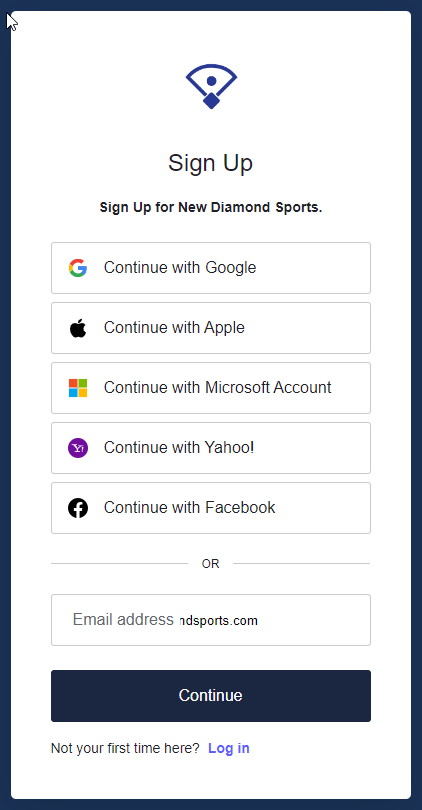 Login Options
Of course, if you prefer to use a traditional username and password, you can still do so. If you have any trouble logging in with your current username and password, please use the "Can't login to your account?" link to reset your password. The system will send you an email with a link to reset your password (no more entering codes into a box).
IMPORTANT: If you decide to use an online account to log into New Diamond Sports, please make sure that the account you use is linked to the same email address that you use to log into New Diamond Sports. If the email address is different, the system will not recognize you as the same user.
Also, Apple asks users if they want to share their email with the website they are logging into (they set up a temporary email otherwise). If you have an existing account and log in with Apple without sharing your email address, the system will not find your account.
Logging In with Passkeys
In addition to the new login options, when you log in using your email address, you will have the option of creating a passwordless passkey to log into the site. The passkey can be one of several commonly available passkeys, like Windows Hello, iCloud Keychain, or via Touch ID on your Android device.
 Passkey Options
For more information on passkeys, please refer to the following:
Coaches Sheet Updates
We've also made a few enhancements to the design of our Coaches Sheets.
Grids!
About a month ago, we quietly rolled out the ability to print non-grouped Coaches Sheets in a grid format, like below:
 Grid Example
Now, you can also generate call grids on grouped Coaches Sheets (i.e. grouped by pitch or by zone), like below:
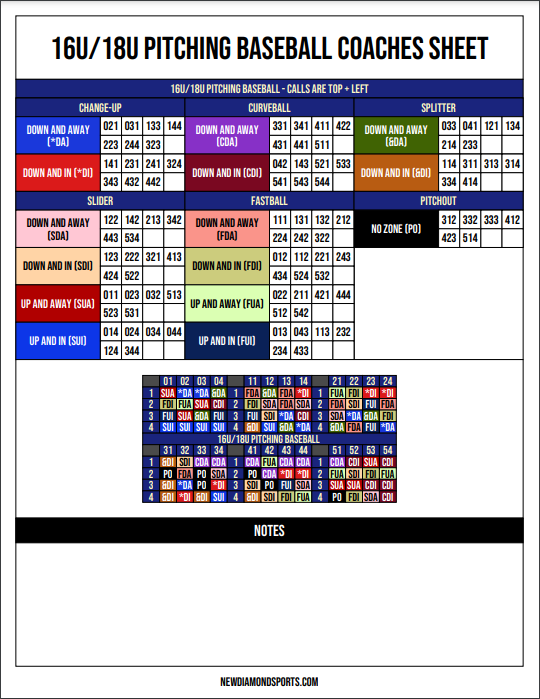 Grouped Grid Example
Filtered Coaches Sheets
A common problem when building your coaches sheet is you have some signs with a lot of calls, and a few signs with only a few calls. But the software automatically makes all the sign columns the same size. Now, users on the Plus and Premium Plans can use the new "Filter" option to customize which signs appear in each section. See the example below:
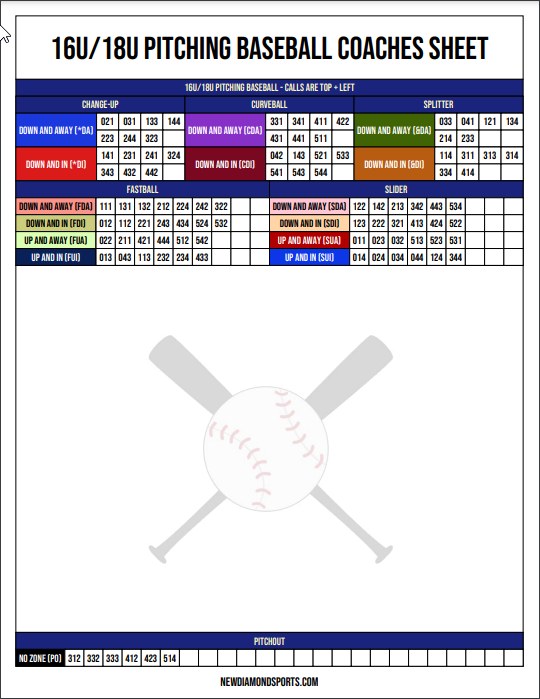 Filtered Coaches Sheet
You'll notice we moved the pitchout calls to the bottom of the sheet.
More Color Options
Now, you have several different color options for your Coaches Sheet headers, including:
- Use the Wristband colors
- Use the sign color (for sign headers, this is the current default)
- No color (black and white)
- Custom color (you can choose any colors you like)
Just click on the Color Option button to see the options.
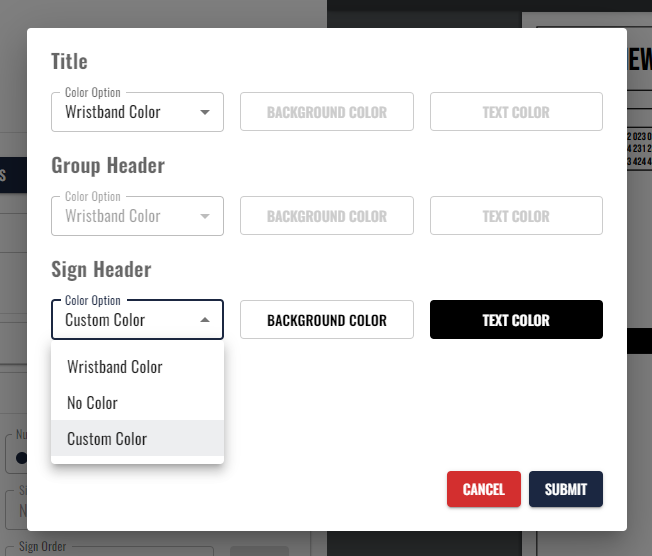 Color Options
January 2024
Improved Sets Functionality
We have made some major improvements to the Sets functionality on the Wristband Generator screen.
 Named sets on the Wristband Generator
Plus and Premium Plan subscribers have the ability to create multiple sets of signs and switch between them on the Wristband Generator screen. Having additional sets is helpful when you want to create a wristband card for a specific game or opponent.
 Set management dialog
Now, you can add a specific name and color to each set, which will make it easier to identify the set that you are working with.
Copy Lineups
 Copy lineup workflow
Now, all users have the ability when creating Dugout Cards, Lineup Cards, Defensive Diagrams and Defensive Grids to copy an existing lineup from another document.
Control the Size of Dugout and Lineup Card Watermark
 Watermark size control
You now have the ability to control the size of the watermark on your Lineup Cards and Dugout Cards.
October 2023
New Diamond Sports 4.0
The October 2023 update is our biggest update ever. We have packed it with several user requests and more than a few surprises.
New Dashboard
We have completely redesigned the Dashboard. It is now easier to navigate, more intuitive and contains all of your info in one place (the Settings and Profile pages have gone away).
 The New Dashboard
The Documents table is sortable, so you can sort all of your documents by name, document type or the date it was last modified.
You can also set the number of documents to display on each page.
As we mentioned, the Profile and Settings pages have gone away, so you can now view all of your documents and information on one unified dashboard.
No More Saving
The software now saves all changes that you make to a document. You no longer have to click on the Save Changes button to apply changes.
But that's not all. We have added an undo button that allows you to undo your last change (there's also a redo button that let's you redo the change if you change your mind again).
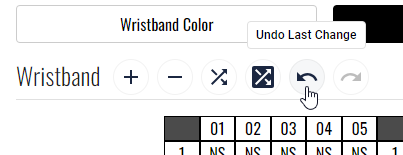 Undo and redo controls
Completely Customizable Wristband Grids
For users on the Plus Plan or above, our wristband grids are now completely customizable. You can now choose the number of groups, columns and rows in your wristband grid.
This will allow for more flexibility in how you organize your signs and much longer sign names, if that's what you're looking for.
For example here is a 4x5 card with 4 grids:
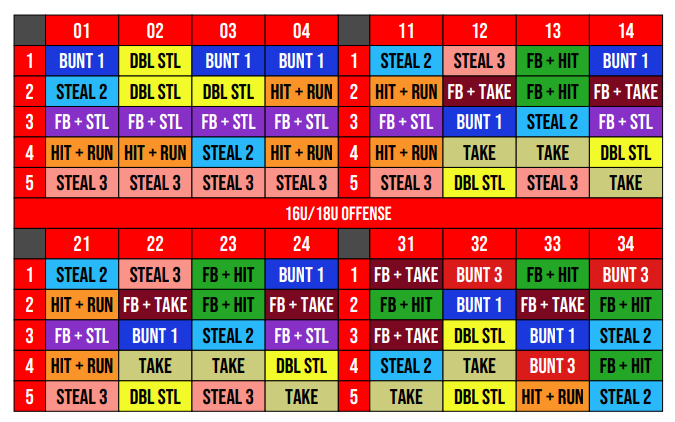 5x5 Card with 4 Grids
As you can see, removing two of the grids allows for much longer sign names.
This will make it easier, especially with offensive signs, for your players to remember those rarely called signs. There are still 80 signs on this card.
Move, Add and Delete Document Sections
The layout of our documents is now component-based. Each section is an independent component.
Plus and Premium Plan subscribers can move, add or delete document sections, which adds for an additional layer of customization, including the ability to add multiple wristband calls onto one coaches sheet.
Custom Sign Order on Coaches Cards
Our software has always allowed you to sort signs alphabetically or by sign count.
Now, Premium Plan subscribers have the ability to create a custom sort order for the signs on the coaches card. This give you complete control over how signs are organized on your card.
Standard Logos
Now all users have access to some standard logos that can be used on their NDS documents.
The ability to upload custom logos is still available to users on the Premium Plan.
Buttons/Icons Switch
You can switch between buttons and icons on the Wristband Generator and Document Print screens.
The buttons view is largely the same as the previous interface, with large descriptive buttons.
The icons view is more compact, which is helpful for users with smaller screen sizes.
Additional Customization Options
We have added several customization options to our documents, including:
Title Bars
- Choose between text only, logo only or text and logo
- Set the font size of the title bar text
- Set the height of the title bar
Subheadings
- Set the subheading to 1-5 columns
- Set the font size of the subheading text
- Set the height of the subheading
Coaches Calls
- Set the font size of the coaches calls text
- Set the cell padding
- Set a custom sign and zone order (Plus and Premium Plan subscribers only)
- Set the text alignment of coaches calls (left or center)
Dugout Cards
- The bench can now be set to any number of players between 6 and 20
- You can set the height of the roster and bench sections
- You can customize the number of columns in the roster section
Lineup Cards
- The bench can now be set to any number of players between 6 and 30 (since a lot of coaches are pre-printing their entire team in the bench section)
- You can set the height of the bench section (to allow for those larger team sizes)
- You can customize the number of columns in the roster section
Defensive Lineups
- The defensive lineup field diagram and the grid are now separate documents
May 2023
Defensive Lineup Cards
Our new Defensive Lineup Cards allow you to set the defensive lineup for each inning.
It is available as both a grid and a field diagram.
You can print a blank lineup, for filling out at the field, or, like our Lineup Cards and (now) Dugout Cards, you can pre-print your defensive lineup on the card.
Printing Lineups on Dugout Cards
Ever since we introduced our Custom Dugout Cards, one of the most requested features has been the ability to pre-print your lineup on the Dugout Card.
We're pleased to announce that now you can do just that.
The lineup-building function is powered by the same code that we use on the Lineup Card, so the interface will be familiar to those users that have used the software to create custom lineup cards with pre-populated lineups.
To start the lineup-building process, click on the Build/Update Lineup button on the Dugout Card screen.
Bulk Rename
If you organize your pitching cards by zone, you know that renaming signs and abbreviations can be tedious, because you have to rename each sign individually under each zone.
Well, no more.
We've introduced a Bulk Rename button to help you out.
Simply click on the button and you will see a convenient pop-up window that will allow you to rename all of the signs an zones on your card.
You can also use Bulk Rename on offensive and defensive cards.
Highlight Boxes
You now have the ability to set the color of the highlight boxes on the top left of each number grid.
All you have to do is change the color on the Highlight Box Color control that appears on the Wristband Generator screen.
More Player Name Formats
We've added to the options available for formatting player named on Lineup Cards, Dugout Cards and our new Defensive Lineup Cards.
You now have six options:
- FirstName LastName (e.g. Chris Anderson)
- LastName, FirstName (e.g. Anderson, Chris)
- FirstName L. (e.g. Chris A.)
- LastName, F. (e.g. Anderson, C.)
- FirstName (e.g. Chris)
- LastName (e.g. Anderson)
Sample Team Creation
You now have the ability to quickly create a Sample Team under your account.
This is helpful for any user that wants to try out the lineup building features of our Lineup Card, Dugout Card or Defensive Lineups. Now you can quickly add a sample team to your account and load a lineup based on that team onto your document.
Previously, you had to build your own team from scratch if you wanted to use the lineup building function of the software.
March 2023
Print Wristband Card Directly on the Coaches Sheet
When creating a Coaches Sheet, you now have the option to print the wristband card directly on the sheet.
This can be helpful, especially when creating dedicated Coaches Sheets for the base coaches, when calls are coming from the dugout. This allows the base coaches to quickly look up the call on their card.
To add the wristband card to an existing or new Coaches Sheet, on the Coaches Sheet screen, simply select the new Show Wristband on Sheet box.
Customize Format of Player Names on Lineup Cards
You now have the ability to customize how Player Names appear on Lineup Cards and Dugout Cards. There are two options:
- FirstName LastName (e.g. Chris Anderson)
- LastName, FirstName (e.g. Anderson, Chris)
By default, the system will use LastName, FirstName, but there is a drop-down menu that allows you to change that:
February 2023
Lineup Cards
Some of you noticed that, a few weeks ago, we added the ability to create custom lineup cards to our feature set.
This new release adds the ability to insert your team's names directly onto the card.
To build a lineup, simply click on the Build/Update Lineup button on the Lineup Card screen:
Customize the Call Direction
By default, the calls that you make with our software are Top-Left (or X-Y if you are into graphing terminology).
In other words, when you signal in the three numbers, your players will find the first two numbers on the Top row, and then the third number on the Left.
Until today, all of our Coaches Sheets, by default, have been based on this Top-Left calling system.
But it is also possible to call Left-Top (or Y-X), where your players will find the first number on the Left, then the next two numbers on the top of the card.
Now, when you create a Coaches Sheet, the software lets you choose between Top-Left or Left-Top. This means you can create two different Coaches Sheets for each card and switch your sign scheme without your players changing out the cards.
By default, the software will still create all Coaches Sheets based on the Top-Left system. So, if you're good with how things worked before, you don't need to do anything differently.
You also have the option to print on the Coaches Sheet whether that sheet is Top-Left or Left-Top. This will help you keep your Coaches Sheets organized.
To help avoid confusion, the software now provides a “Show Calls Direction on Sheet” box, which will allow you to know, at a quick glance, whether the calls on that Coaches Sheet are Top-Left or Left-Top.
If you have any questions about any of our product updates, please email help@newdiamondsports.com.