
Release Notes
What's New
Release notes for periodic New Diamond Sports updates
Tryout forms, scoring keys and more
New Documents
- Player Evaluation Form: player details, your own categories and skills, and the score range you grade on
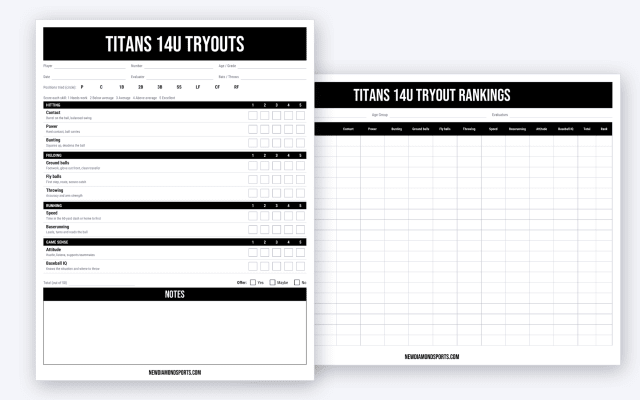
- Tryout Ranking Sheet: a row for every player and a column for every skill. Either editor can start the other with the same skills
Wristbands
- New Wristband Type menu: Numbered, Color-Coded Grids or Numbers + Colors
- Numbers + Colors gives every column its own color, so a square can be called by number ("011") or by color ("Red 1"). Set the colors in the Column Colors dialog (Premium plan)

- More wristbands fit on a page: extra cards print in the room beside the column, upright or turned on their side
- Cheat sheet and message card sheets fill the side of the page too
- The Filter Signs dialog puts each switch before the sign's name, and clicking the name toggles it
- Print a wristband straight from its menu on the dashboard or the Documents page
Coaches Sheets
- Coaches Calls sections list Numbers + Colors calls under each sign's numbered calls, in boxes filled with the column color
- Alignment controls are now icon buttons, and grouped sheets have their own alignment for the group labels
- Color options for Coaches Calls sections open in their own panel
- Every box in a grouped Coaches Calls grid is the same size, and the numbers line up across a row even without grid lines
- Number of Columns runs from 1 to 10 on every plan
- If a wristband changed after the sheet copied it, Print and Download offer to update the sheet first, and the editor offers the update whenever the sheet's copies of a wristband disagree
Lineup Cards/Dugout Cards
- DP and EH are now in Edit Positions
- Your Edit Positions choice is remembered for every new document you make
- Bench Height: leave it on Auto or set it with a slider
- New Substitutions Highlight Opacity slider, so the subs color shows as strongly as you like
- Watermarks print behind the card, so header bars stay solid
- Players with no number stay blank instead of printing 0
Depth Charts/Defensive Lineups
- Field diagrams can print the batting order to the right, to the left or below the field
- New Orientation setting, so a defensive lineup can print landscape
- Names in a position box all print at one size
- Depth charts and defensive lineup grids can be renamed
Score Sheets and Pitching Charts
- New scoring key: position numbers, scorebook symbols and how to fill in a box, as a strip under the grid, a "How to keep score" back page, or both
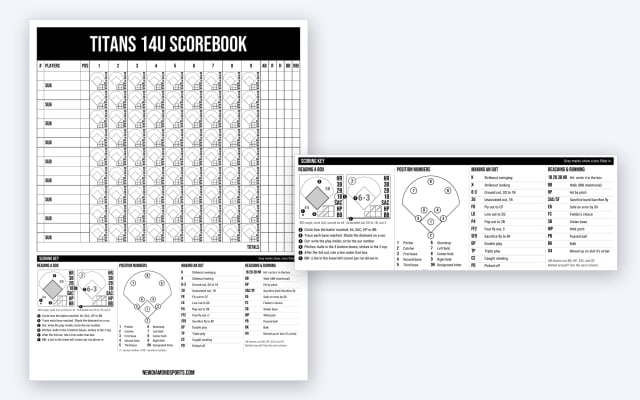
- On Auto, the key prints under the grid when there's room and on a back page when there isn't, so it never shrinks the grid
- The key follows your sport, including the DH, the fastpitch DP/FLEX and slowpitch's short fielder
- Pitching chart Number of Rows runs its full range on every plan
Document Editors
- Control Tooltips: a ? beside every control explains what it does. Turn them off with the Control Tooltips switch in the cog menu
- Floating Preview: switch the preview from the cog menu to a Show preview button that opens it over the editor
- A new phone tour shows how to pin the preview to the top of the screen, or switch between an embedded and a floating preview
- Primary and Secondary Color controls on every document, including depth charts, defensive lineup grids, pitching charts, cheat sheets and message cards
- Clear Section Colors button: one click and every section follows the document colors
- Title bars: left, center or right alignment, an optional subtitle, and Classic, Modern or Retro fonts
- Title bar text sits centered between two logos
- Tidier logo and watermark controls, with the watermark's size, offset and opacity sliders under Adjustments
- Long section titles stay on one line on phones
- Templates that need a higher plan show a lock and the plan they need, and you can still preview them
Dashboard and Documents
- Document menus start with Edit/Print (Edit and Print for wristbands)
- Copy and Delete menus on the dashboard's document and team rows
- Copy works again from the Documents page
- Customize Dashboard from the cog in the header, on any screen size
- Paid plans can hide the referral card from Customize Dashboard
- Log Out is now in the phone menu
- On iPhone, Print shows an Open PDF button when Safari blocks the new tab
- New documents open more reliably
- Cancelled a paid plan? You can subscribe again from Billing
Free Tools
- A new Free Tools page with a virtual scoreboard, a pitch count tracker, and batting average, ERA, OBP, slugging, OPS, pitch speed, bat size, league age and glove size calculators
- Free tryout evaluation forms to download, with a guide to running tryouts
- The free score sheet generator can add a scoring key, and the free lineup card generator offers DP
Color-coded wristbands and more
Wristbands
- Color-coded grids: name each grid by color instead of number, so calls read like "Red 12"
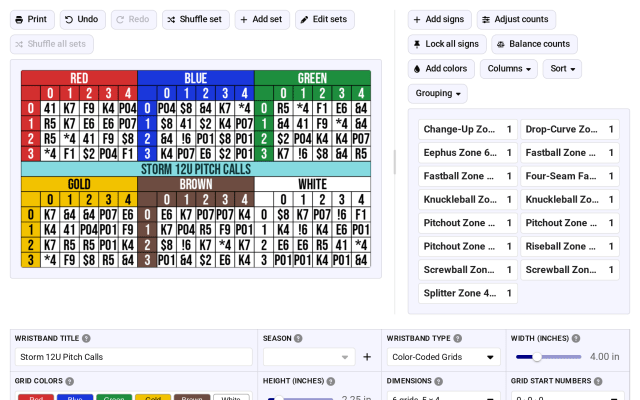
- Set each grid's name, color, text color and order in the Grid Colors dialog
- With Right/Bottom Headers on, every color-coded grid gets its own right and bottom headers
- Highlight boxes can take each grid's color
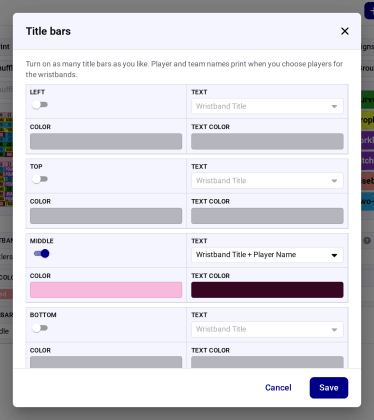
- Add title bars at the top, middle or bottom, or down the left or right side, each showing the wristband title, player name, team name or custom text in its own colors
- Shuffle Set mixes up the current set's calls in one click
- A warning when sign text gets too small to read, naming the sign that's too wide
- Signs print larger where the cells have room, and long titles shrink to fit the title bar
- Adding a pitch/play and zone/tag the wristband already has is no longer allowed, so no sign prints twice
Coaches Sheets
- New "Group By Sign + Color" grouping for color-coded wristbands
- Choose which wristband call set a Coaches Calls section prints
- New Page Break section to start the next section on a new page
- Long headings wrap instead of shrinking
- Wristbands wider than the sheet scale down to fit
- Coaches Calls and Wristband sections are labeled with the wristband they belong to
Lineup Cards/Dugout Cards
- New "Use Drag and Drop" switch: turn it off for a tap-to-assign builder that works great on phones
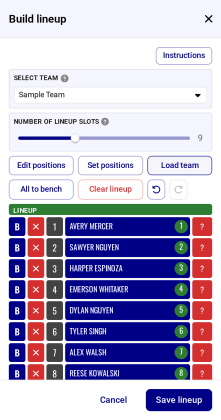
- Undo now brings back the previous team and players after you switch teams
- Disabled teams no longer appear in team pickers
- Dugout cards print the flex player in the F row, and bench rows stay inside the card
- Page margins now save on dugout cards
Depth Charts/Defensive Lineups
- New "Use Drag and Drop" switch: turn it off to give each player a position button for every inning, or pick each position's players in order on a depth chart
- Grid Lines switch on depth charts and defensive field diagrams
- Defensive lineup grid headers follow your document's colors
- Page margins now save on defensive lineups
- A field diagram that won't fit starts on a new page instead of overlapping
Score Sheets, Pitching Charts and Notes
- Score sheets print every lineup row you ask for instead of dropping the ones that didn't fit
- Pitching chart strike zones and plates stay inside their rows
- Notes sections have a Hide Header switch
General
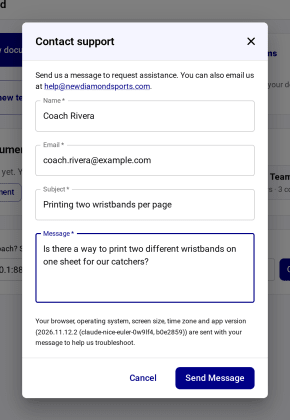
- Contact support from any screen, from the header or your profile menu
- Remove the background from a custom logo before uploading it
- Large logo images are resized for you instead of being rejected
- Share any document, including wristbands from the print view (paid plans)
- Your uploaded profile picture now shows in the sidebar
- Deleted a document or team by mistake? Contact support and we can restore it
- Tidier layouts on phones
Free Tools
- Free wristband, score sheet, depth chart, lineup card and defensive lineup generators that work without an account. Sign up to save what you made
New Diamond Sports 5.0 Release Notes
General
- Fully re-designed and customizable dashboard
- Share any document with anyone via link (paid feature)
- New Documents: Pitching Charts, Player Message Cards, Player Cheat Sheets
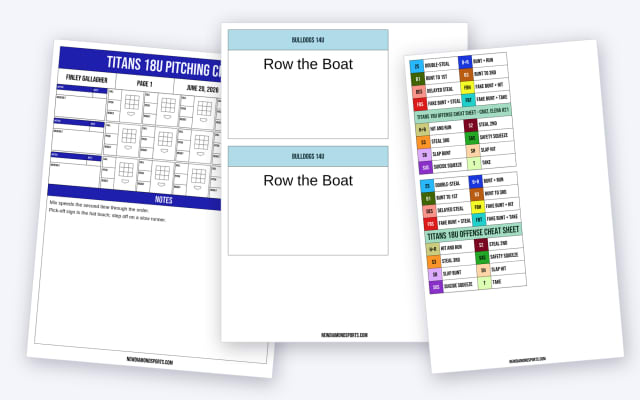
- Templates available for all document types
- Choose between standard and dark mode
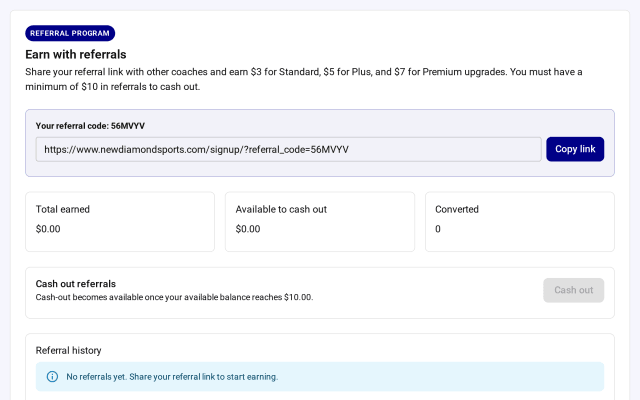
- Earn referral rewards
- Categorize documents by season
- Emoji support for all documents
- New document logos available at each paid tier
- Notes sections now accept text -- allowing you to write and save notes for each document
Wristbands
- Fully customizable grids (up to 10×10)
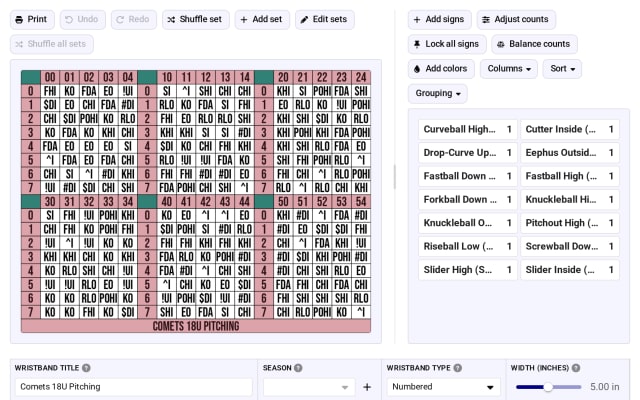
- Choose any starting number for rows, columns and groups
- Put up to 8 grids on a single card
- Move the title bar to the top or bottom
- Add additional right and bottom headers
- Create Player Cheat Sheets to help your players learn their signs
Lineup Cards/Dugout Cards
- New drag-and-drop interface for building your lineup (desktop only)
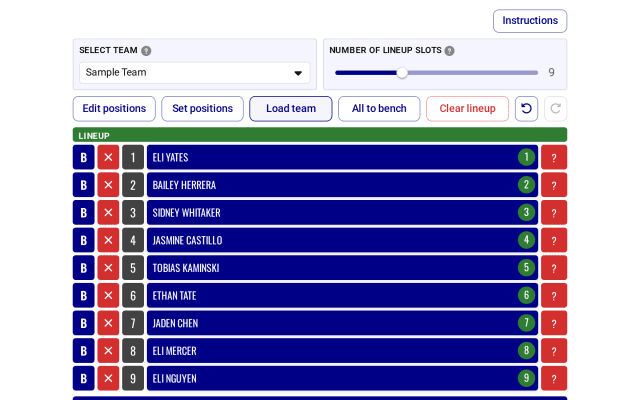
- Supports multiple lineup configurations
- Add two players to a lineup slot
Depth Charts/Defensive Lineups
- New drag-and-drop interface for building your lineup (desktop only)